
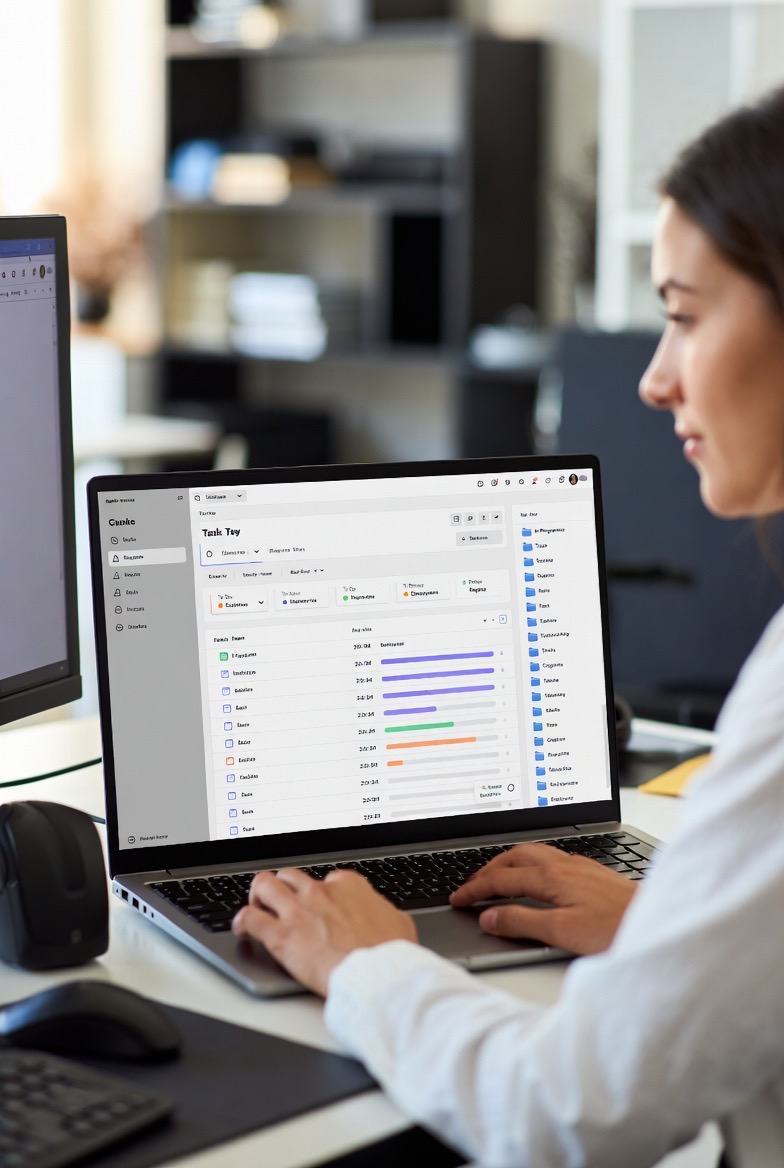
Explore how AI is transforming task management with intelligent prioritization, automated scheduling, and predictive analytics. Discover the best AI task managers and learn how to leverage machine learning to boost your productivity.
Introduction: The Task Management Problem
Traditional task managers are glorified to-do lists. You add tasks, check boxes, and hope you're working on the right things. But here's the challenge: which task should you do first? How long will it actually take? What's slipping through the cracks? When should you schedule that important meeting?
These questions require judgment, context, and pattern recognition—capabilities that artificial intelligence excels at. AI-powered task managers don't just store your tasks; they understand them, predict outcomes, optimize your schedule, and adapt to your working style. The result? You spend less time managing tasks and more time completing them.
In 2026, AI task managers have evolved from experimental tools to essential productivity platforms used by millions. This guide explores how they work, what makes them revolutionary, and how to choose the right one for your needs.
What Makes a Task Manager "AI-Powered"?
Beyond Simple Automation
Traditional task managers offer basic automation: recurring tasks, reminders, and simple if-then rules. AI task managers go much further by using machine learning to:
- Learn from your behavior: Understanding when you're most productive and what tasks you tend to complete or postpone
- Predict task duration: Estimating how long tasks will actually take based on historical data
- Intelligent prioritization: Determining what you should work on next based on deadlines, importance, energy levels, and dependencies
- Natural language processing: Understanding task descriptions written in plain English
- Context awareness: Considering your calendar, location, energy levels, and work patterns
- Automated scheduling: Finding optimal time slots for tasks based on your availability and working style
Core AI Capabilities
1. Natural Language Understanding (NLU)
Modern AI task managers understand natural language. Instead of filling out forms, you can write:
"Finish the Q4 report by Friday afternoon, high priority"
The AI extracts: task name, deadline, time of day, and priority level automatically. It can even infer categories, tags, and related tasks.
2. Machine Learning for Predictions
By analyzing your task completion history, AI predicts:
- How long tasks will actually take (vs. your estimates)
- Which tasks you're likely to complete on time
- When you'll have capacity for new commitments
- Which tasks might need to be rescheduled
3. Intelligent Prioritization Algorithms
AI considers multiple factors simultaneously:
- Urgency and deadlines
- Task importance and impact
- Dependencies between tasks
- Your energy levels at different times
- Task complexity and required focus
- Historical completion patterns
4. Context-Aware Recommendations
AI task managers integrate with your calendar, email, location, and other data sources to understand your context and make smart recommendations.
Key Features of AI Task Managers
Smart Scheduling and Time Blocking
AI task managers automatically find the best time slots for your tasks by analyzing:
- Your calendar availability: Finding gaps between meetings
- Peak productivity hours: Scheduling difficult tasks when you're most focused
- Task energy requirements: Matching task complexity to your energy levels
- Realistic time estimates: Preventing over-scheduling based on actual completion times
- Buffer time: Adding breathing room between tasks
Example: You have a 3-hour deep work task. The AI notices you're most productive from 9 AM to 12 PM, finds a meeting-free morning next Tuesday, and automatically schedules the task then—with 30 minutes of buffer time afterward.
Dynamic Prioritization
Instead of static priority labels, AI task managers continuously re-evaluate what you should work on based on:
- Approaching deadlines
- Changing circumstances
- New information or dependencies
- Your current energy and focus levels
- Impact and urgency matrix (Eisenhower Matrix)
The result: your task list automatically adjusts throughout the day, always showing you the most important thing to do next.
Predictive Analytics and Insights
AI task managers analyze your productivity patterns to provide actionable insights:
- Workload forecasting: "You're overcommitted this week by 8 hours"
- Deadline risk assessment: "You have a 30% chance of missing the project deadline"
- Productivity trends: "You complete 40% more tasks on Tuesdays"
- Bottleneck identification: "Waiting for feedback is delaying 5 tasks"
- Energy pattern analysis: "Your focus peaks between 9-11 AM"
Intelligent Task Breakdown
Large, overwhelming tasks get automatically broken down into manageable subtasks. For example, "Write research paper" becomes:
- Research and collect sources (2 hours)
- Create outline (30 minutes)
- Write introduction (1 hour)
- Draft main sections (4 hours)
- Write conclusion (1 hour)
- Edit and proofread (2 hours)
The AI estimates time for each subtask and schedules them across available time slots.
Smart Notifications and Focus Mode
AI determines the optimal time to notify you about tasks without disrupting deep work. Features include:
- Context-aware alerts: Reminders when you're in the right location or have necessary resources
- Focus protection: Silencing notifications during deep work sessions
- Smart nudges: Gentle reminders for tasks you tend to procrastinate on
- Interruption management: Batching low-priority notifications
Natural Language Task Creation
Create tasks by speaking or typing naturally:
- "Call Sarah about the marketing proposal tomorrow at 2 PM"
- "Review budget spreadsheet before Monday's meeting, will take about an hour"
- "Coffee with James next week, preferably morning"
The AI extracts all relevant information, asks clarifying questions if needed, and creates properly structured tasks.
Automated Task Categorization and Tagging
AI automatically categorizes tasks and applies relevant tags based on:
- Task content and keywords
- Project associations
- People involved
- Historical patterns
- Related emails or documents
Integration and Context Gathering
AI task managers connect with your entire digital ecosystem:
- Email: Creating tasks from emails, tracking follow-ups
- Calendar: Understanding availability and scheduling constraints
- Communication tools: Capturing action items from Slack, Teams, etc.
- Documents: Linking relevant files and resources
- Project management: Syncing with Jira, Asana, or other platforms
Leading AI Task Managers in 2026
1. Motion
Motion combines task management, calendar, and meeting scheduling with advanced AI. Key features:
- Automatic scheduling: AI schedules all your tasks on your calendar
- Dynamic rescheduling: When meetings get added or tasks take longer, everything adjusts automatically
- Project management: Built-in tools for managing complex projects
- Meeting assistant: AI finds optimal meeting times and manages scheduling
- Focus time protection: Blocks out deep work time automatically
Best for: Professionals with packed calendars who need automatic scheduling and rescheduling.
2. Reclaim AI
Reclaim focuses on defending your time and creating space for what matters:
- Habit scheduling: Automatically protects time for exercise, breaks, lunch
- Smart 1:1 meetings: AI finds optimal times for recurring meetings
- Task scheduling: Flexible task blocks that adapt to your calendar
- Buffer time: Automatic breaks between meetings
- Calendar sync: Manages multiple calendars intelligently
Best for: People who struggle with work-life balance and need help protecting personal time.
3. Todoist with AI Features
The popular task manager has integrated AI capabilities:
- Natural language input: Smart recognition of dates, times, and priorities
- Smart suggestions: Recommended due dates and priority levels
- Productivity insights: AI-powered analytics on completion patterns
- Task templates: AI suggests task breakdowns for common projects
Best for: Users wanting AI assistance with a proven, simple interface.
4. Akiflow
Unified task and calendar management with time-blocking focus:
- Universal inbox: Consolidates tasks from all sources
- Time blocking: Drag tasks onto calendar for scheduling
- AI suggestions: Recommended task scheduling based on patterns
- Command bar: Quick task creation and management
Best for: Power users who work across multiple tools and need centralized task management.
5. Sunsama
Daily planning tool with AI-powered guidance:
- Daily planning ritual: Guided workflow for planning your day
- Time tracking: Actual time vs. planned time insights
- Realistic scheduling: AI warns when you're over-scheduling
- Reflection: End-of-day review with AI insights
Best for: People who want structured daily planning and mindful productivity.
6. Trevor AI
Time-blocking focused with AI scheduling:
- Auto-scheduling: AI places tasks on your calendar
- Smart suggestions: Recommended task scheduling times
- Integrated calendar: Unified view of tasks and events
- Simple interface: Minimal design focused on execution
Best for: Users who prefer time-blocking and want AI to handle the scheduling logistics.
7. Notion AI (for Task Management)
While primarily a knowledge management tool, Notion's AI capabilities extend to task management:
- AI writing assistant: Helps draft task descriptions and project plans
- Auto-fill: Populates database fields intelligently
- Smart summaries: Condenses project notes into action items
- Custom databases: Build personalized task management systems
Best for: Teams wanting customizable task management integrated with documentation.
How AI Task Managers Learn and Improve
The Learning Cycle
AI task managers improve through continuous learning:
1. Data Collection
- Task creation and completion times
- Time estimates vs. actual duration
- Postponement and rescheduling patterns
- Task completion rates by time of day
- Context when tasks are completed (location, device, etc.)
2. Pattern Recognition
- Identifying your peak productivity hours
- Understanding which types of tasks you tend to delay
- Recognizing seasonal or weekly patterns
- Detecting energy level fluctuations
3. Model Training
- Machine learning models learn from your historical data
- Algorithms adjust to your working style
- Predictions become more accurate over time
4. Personalized Recommendations
- Task scheduling suggestions based on your patterns
- Priority adjustments matching your preferences
- Workload warnings when you're over-scheduling
Privacy and Data Security
Since AI task managers analyze personal productivity data, privacy is crucial:
- Data encryption: End-to-end encryption for sensitive tasks
- On-device processing: Some AI operations happen locally
- Privacy controls: Options to exclude sensitive tasks from AI analysis
- Data ownership: Your data remains yours and can be exported or deleted
- Transparency: Clear explanations of what data is collected and why
Practical Use Cases and Workflows
Use Case 1: Managing Multiple Projects
Challenge: Juggling 5 projects with different deadlines and priorities.
AI Solution:
- Automatically schedules tasks from all projects based on deadlines
- Identifies conflicts when deadlines approach simultaneously
- Recommends which project to focus on each day
- Warns when you're at risk of missing deadlines
- Suggests task delegation when workload is too high
Use Case 2: Deep Work vs. Shallow Work Balance
Challenge: Constant meetings leave no time for focused work.
AI Solution:
- Identifies your peak focus hours and protects them
- Schedules deep work tasks during high-energy periods
- Groups shallow tasks (email, admin work) into batches
- Automatically declines or reschedules low-priority meetings
- Tracks deep work hours and suggests adjustments
Use Case 3: Deadline Crunches
Challenge: Major deadline approaching with tons of remaining work.
AI Solution:
- Calculates required daily progress to meet deadline
- Identifies which tasks must be completed vs. nice-to-haves
- Reschedules non-critical tasks to after the deadline
- Finds additional time slots by analyzing your calendar
- Suggests extending the deadline if mathematically impossible
Use Case 4: Team Coordination
Challenge: Tasks depend on input from multiple team members.
AI Solution:
- Tracks task dependencies and waiting periods
- Automatically follows up on blockers
- Finds optimal meeting times for all participants
- Redistributes work when team members are overloaded
- Predicts project completion based on team velocity
Use Case 5: Work-Life Balance
Challenge: Work tasks constantly invade personal time.
AI Solution:
- Protects personal time blocks (exercise, family dinner, hobbies)
- Prevents after-hours work scheduling
- Suggests realistic working hours based on your workload
- Tracks work hours and warns about burnout risk
- Automatically schedules breaks and recovery time
Best Practices for Using AI Task Managers
1. Give the AI Time to Learn
AI task managers need data to provide accurate recommendations:
- Use the tool consistently for at least 2-3 weeks
- Complete tasks through the system (so it can track completion)
- Provide feedback when AI suggestions are off
- Update actual time spent on tasks
2. Be Honest About Time Estimates
The AI learns from your estimates and actual completion times:
- Don't over-optimize your estimates
- Include buffer time for unexpected issues
- Let the AI correct your estimates over time
- Track interruptions that affected task duration
3. Trust but Verify
AI provides recommendations, not commands:
- Review AI-scheduled tasks before committing
- Override AI suggestions when you have better context
- Use AI insights to inform your decisions
- Maintain human judgment for strategic priorities
4. Maintain Regular Reviews
Weekly reviews help you and the AI stay aligned:
- Review completed and incomplete tasks
- Adjust priorities based on changed circumstances
- Archive completed projects
- Refine task categorization and tagging
5. Integrate with Your Entire Workflow
AI works best with complete information:
- Connect your calendar, email, and communication tools
- Capture tasks from all sources in one place
- Link related documents and resources
- Use browser extensions and mobile apps
6. Customize AI Behavior
Configure the AI to match your working style:
- Set your working hours and availability
- Define your peak productivity times
- Specify which tasks require deep focus
- Configure notification preferences
- Adjust how aggressive the AI is with scheduling
Common Pitfalls and How to Avoid Them
Over-Reliance on Automation
Problem: Blindly following AI recommendations without considering context.
Solution: Use AI as a smart assistant, not a replacement for judgment. Review suggestions and apply your understanding of priorities and circumstances.
Incomplete Task Information
Problem: Vague task descriptions like "Work on project" don't give AI enough context.
Solution: Include specific, actionable task descriptions with clear outcomes. Break large tasks into concrete subtasks.
Ignoring AI Insights
Problem: The AI warns you're overcommitted, but you ignore it and burn out.
Solution: Pay attention to workload warnings and capacity predictions. If the AI says you're overloaded, you probably are.
Inconsistent Usage
Problem: Using the tool sporadically or managing tasks across multiple systems.
Solution: Commit to a single task management system and use it consistently. The AI can't help if it doesn't see all your tasks.
Not Providing Feedback
Problem: AI makes poor suggestions but receives no feedback to improve.
Solution: Use feedback mechanisms to teach the AI your preferences. Rate suggestions, mark incorrect predictions, and adjust recommendations.
The Future of AI Task Management
Emerging Capabilities
Conversational AI Assistants
Future task managers will feature natural conversations:
- "What should I work on this afternoon?"
- "Move my important tasks to next week, I'm sick"
- "Find time for a 2-hour project kickoff with Sarah and James"
Proactive Task Identification
AI will automatically identify tasks from your digital activity:
- Extract action items from meeting transcripts
- Detect commitments made in emails or chat
- Suggest follow-up tasks based on project progress
- Identify bottlenecks before they become problems
Emotional Intelligence
Next-generation AI will consider your emotional state:
- Detect stress levels from communication patterns
- Adjust workload when you're overwhelmed
- Suggest breaks and recovery time
- Match task difficulty to your current mental state
Team Intelligence
AI that optimizes team productivity, not just individuals:
- Optimal task allocation based on skills and capacity
- Predictive project management with risk assessment
- Automated workflow orchestration
- Team productivity insights and recommendations
Cross-Platform Integration
Seamless integration with all digital work tools:
- Universal task capture from any application
- Contextual task surfacing based on what you're working on
- Automated workflow triggers across tools
- Unified productivity insights from all sources
Challenges Ahead
AI Transparency
Users need to understand why AI makes specific recommendations. Future systems will provide clear explanations: "I scheduled this task at 9 AM because you complete similar tasks 30% faster in the morning."
Standardization
Lack of standards makes switching tools difficult. The industry needs data portability and interoperability standards.
Accessibility
Advanced AI features often come with premium pricing. Making AI task management accessible to everyone remains a challenge.
Conclusion: Embracing AI-Powered Productivity
AI task managers represent a fundamental shift in how we approach productivity. Instead of simply storing tasks and relying on willpower, these intelligent systems actively help you work smarter by understanding your patterns, predicting challenges, and optimizing your schedule.
The best AI task managers feel like having a personal productivity coach who:
- Knows your working style intimately
- Helps you make realistic commitments
- Protects your time and energy
- Keeps you focused on what matters most
- Warns you before small issues become big problems
Adoption of AI task management requires an initial investment of time and trust. You must consistently use the system, provide honest input, and allow the AI to learn your patterns. But the payoff is substantial: less stress, better work-life balance, and dramatically improved productivity.
Whether you choose Motion, Reclaim, Todoist, or another platform, the key is finding a system that matches your working style and committing to it fully. The AI can't help if it doesn't see your complete picture.
As these tools continue to evolve, they'll become even more intelligent, proactive, and integrated into our digital lives. The future of productivity isn't about working harder—it's about working smarter with AI as your partner.
Key Takeaways
- AI task managers use machine learning to predict, prioritize, and schedule tasks intelligently
- Key capabilities include natural language processing, smart scheduling, and predictive analytics
- Leading tools include Motion, Reclaim AI, Todoist, Akiflow, and Sunsama
- AI learns from your behavior patterns to provide increasingly accurate recommendations
- Smart scheduling considers calendar, energy levels, task complexity, and deadlines
- Dynamic prioritization continuously adjusts based on changing circumstances
- Integration with calendar, email, and communication tools provides complete context
- Effective use requires consistent usage, honest time estimates, and regular reviews
- AI acts as a productivity coach, warning about overcommitment and suggesting optimizations
- Future developments include conversational AI, emotional intelligence, and proactive task identification