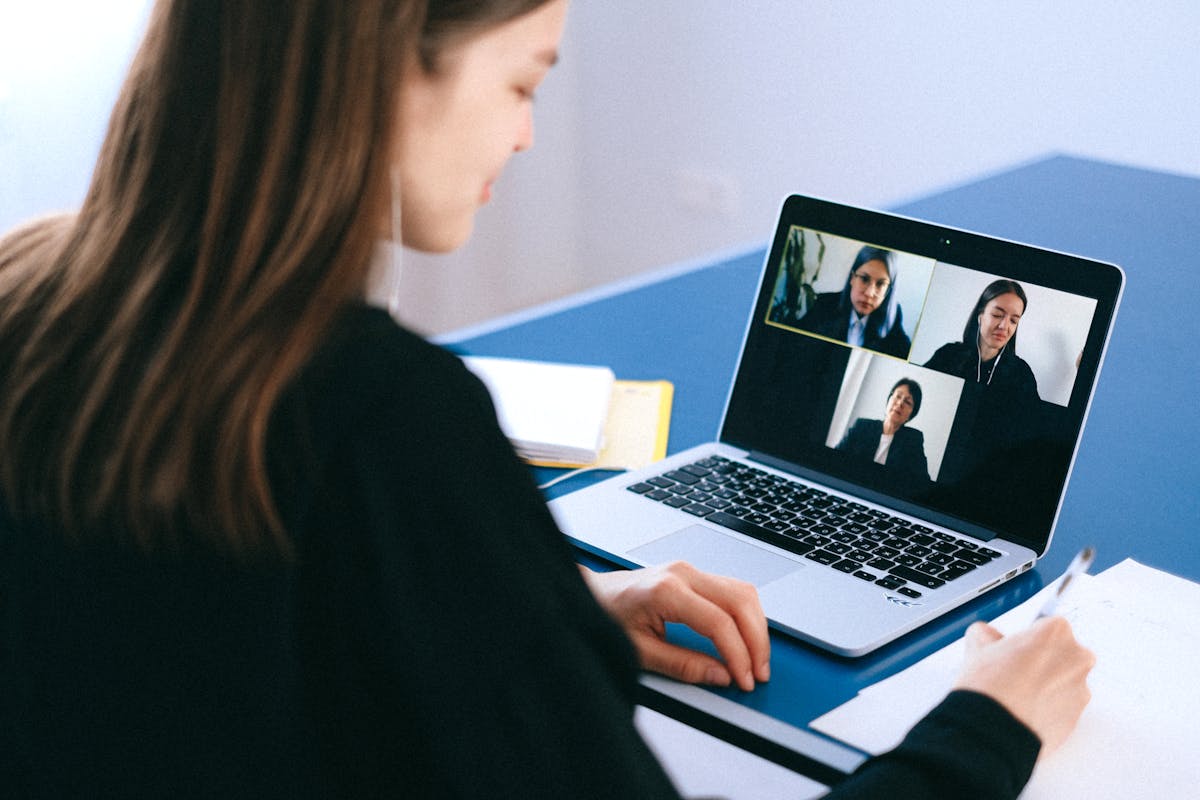
Video conferencing has become essential for modern work, transforming how teams collaborate and communicate. Professional virtual presence requires technical setup, understanding etiquette norms, and developing effective communication skills. Mastering video conferencing enhances your professional image and improves meeting effectiveness.
Technical Setup Fundamentals
Camera Positioning and Framing
Position your camera at eye level, approximately arm's length away. This creates natural perspective and prevents unflattering angles looking up at your chin or down at your head. Center yourself in the frame with slight headroom above, allowing comfortable viewing without feeling cramped or distant.
Laptop users should elevate their devices using stands or books. External webcams provide flexibility for optimal positioning. Higher-resolution cameras improve image quality, though most modern built-in cameras suffice for professional meetings.
Lighting Techniques
Proper lighting dramatically improves your appearance on camera. Position yourself facing windows or bright light sources, avoiding backlighting that creates silhouettes. If natural light isn't available, use desk lamps or ring lights positioned in front and slightly above, eliminating harsh shadows under eyes and nose.
Avoid overhead lighting alone, which creates unflattering shadows. Diffused light sources provide softer, more professional appearance. Inexpensive LED panels or ring lights designed for video calls offer adjustable brightness and color temperature.
Audio Quality
Clear audio matters more than video quality for meeting effectiveness. Built-in laptop microphones often capture keyboard noise and room echo. Invest in quality headphones with integrated microphones or dedicated USB microphones for professional audio.
Choose quiet locations for calls, minimizing background noise from traffic, appliances, or other household members. Soft furnishings like curtains and rugs reduce echo, improving audio clarity. Test audio before important meetings, adjusting input levels to prevent distortion.
Background Considerations
Your background reflects professionalism and should be tidy, neutral, and non-distracting. Position yourself against walls, bookshelves, or organized spaces. Remove clutter, personal items that might seem unprofessional, and anything potentially controversial.
Virtual backgrounds work when used appropriately. Choose professional, subtle options rather than distracting or humorous images. Ensure sufficient processing power and lighting for clean background replacement, as poor implementation appears unprofessional with visible artifacts.
Meeting Etiquette Best Practices
Punctuality and Preparation
Join meetings a few minutes early, testing audio and video before official start time. This prevents delayed starts while you troubleshoot technical issues. Have necessary documents, links, and notes ready, demonstrating respect for others' time.
Familiarize yourself with platform features like screen sharing, chat, and reactions before meetings. Technical fumbling during presentations appears unprofessional and wastes group time.
Camera Usage
Enable video when possible, as visual presence enhances connection and engagement. However, bandwidth limitations or home situations sometimes necessitate camera off. Communicate reasons when keeping camera disabled to avoid appearing disengaged.
Maintain eye contact by looking at your camera rather than your screen when speaking. This creates connection with viewers, though it feels unnatural initially. Position video windows near your camera to minimize noticeable gaze differences.
Muting Protocol
Stay muted when not speaking in large meetings to prevent background noise from disrupting discussion. Unmute before speaking to avoid missing first words while toggling. Learn your platform's unmute keyboard shortcut for quick access.
In smaller meetings, remaining unmuted when appropriate fosters natural conversation flow. Use judgment based on meeting size, formality, and your environment's noise level.
Active Participation
Engage visibly through nodding, facial expressions, and using reaction features appropriately. Virtual meetings require more explicit engagement signals than in-person gatherings where body language communicates attention naturally.
Use chat thoughtfully for questions, links, or comments without interrupting speakers. However, avoid extended side conversations that distract from main discussion. Raise your hand feature helps organize turn-taking in larger meetings.
Professional Communication Skills
Speaking Clearly
Articulate more deliberately in virtual meetings than in-person conversations. Internet delays and audio compression can make rapid speech difficult to understand. Pause briefly between thoughts, allowing translation for international participants and processing time for complex topics.
State your name before speaking in large meetings where participants might not recognize voices. This helps meeting hosts and other participants follow discussion flow.
Managing Presentations
When screen sharing, close unnecessary applications and notifications to maintain professional appearance. Check that you're sharing the correct window or screen. Narrate your actions when navigating documents or interfaces, helping participants follow along.
Pause periodically during presentations for questions, maintaining engagement and ensuring understanding. Virtual audiences lose focus more easily than in-person groups, so interactive elements help retain attention.
Handling Interruptions
Despite best efforts, home interruptions happen. Handle them professionally by briefly muting and addressing the situation if needed. A simple "Excuse me one moment" shows professionalism. Most colleagues understand occasional disruptions in remote work environments.
Anticipate potential interruptions when possible, like scheduling meetings around pet feeding times or coordinating with household members about quiet periods.
Advanced Tips
Recording Meetings
Always announce when recording meetings, as many jurisdictions require consent. Recordings benefit absent team members and provide reference for action items. However, recording can make participants less candid, so use judiciously.
Bandwidth Management
Close bandwidth-intensive applications during video calls. Hardwired ethernet connections provide more stable connections than WiFi. If connection issues persist, disable video while maintaining audio to ensure participation.
Time Zone Awareness
When scheduling with distributed teams, consider time zones carefully. Rotate inconvenient meeting times fairly rather than always accommodating the same time zone. Use tools that display multiple time zones when coordinating schedules.
Platform-Specific Features
Different platforms offer unique features worth mastering. Zoom provides breakout rooms for small group discussions. Microsoft Teams integrates with Office applications. Google Meet connects seamlessly with Google Workspace. Understanding platform-specific capabilities helps you leverage appropriate tools for different meeting needs.
Maintaining Focus and Energy
Video conferencing fatigue is real. Take breaks between back-to-back meetings when possible. Stand up, stretch, and look away from screens. Consider audio-only meetings when video isn't essential, reducing cognitive load and eye strain.
Limit multitasking during meetings. While tempting to check email or work on other tasks, divided attention shows and reduces meeting effectiveness. If a meeting doesn't require your active participation, decline or excuse yourself rather than attending without engagement.
Conclusion
Professional video conferencing combines technical competence with communication skills and etiquette awareness. Investing time in proper setup, learning platform features, and developing virtual presence pays dividends in professional effectiveness and career advancement. As remote and hybrid work becomes standard, video conferencing proficiency transitions from optional skill to essential professional competency. Regular practice and attention to these guidelines helps you present your best self in virtual environments.